Choosing the Embedding Architecture for BrainZen
When I first started adding semantic search to BrainZen, I figured the actual vector search algorithms would be the biggest headache.
I was wrong.
The very first hurdle was a much more foundational question: Where exactly is this embedding model going to live? That single decision dictates your hosting costs, security boundaries, performance bottlenecks, and the entire shape of your infrastructure.
The Current State of BrainZen
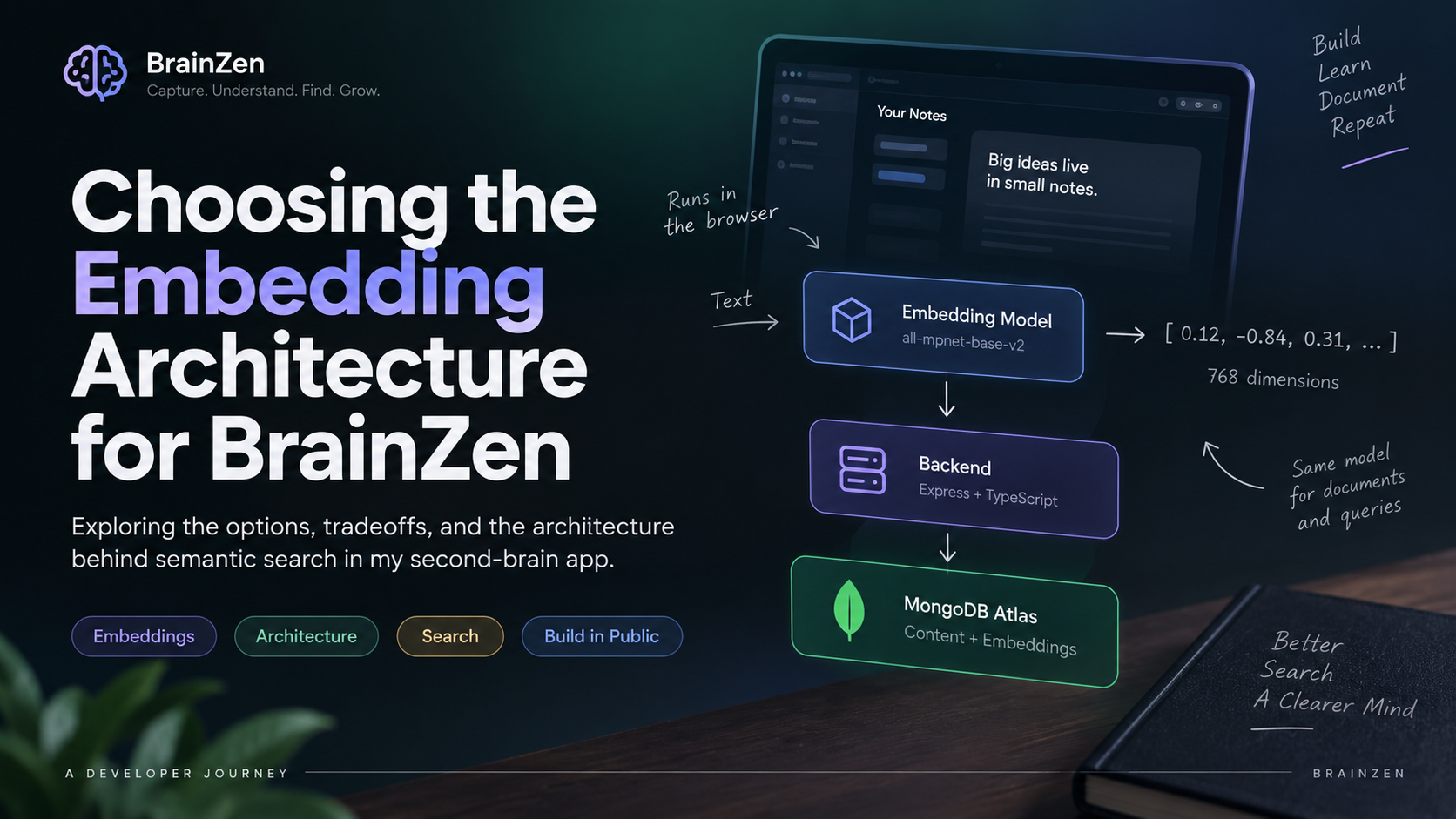
At a high level, BrainZen is split into three main pieces. The crucial detail here is that both the documents you save and the queries you run have to pass through the exact same embedding model. If they come from different embedding spaces, comparing them is mathematically meaningless.
Plaintext
Frontend (React + TypeScript)
  │
  │ generates embeddings
  ↓
Embedding Model (all-mpnet-base-v2)
  │
  │ 768-dimensional vector
  ↓
Backend (Express + TypeScript)
  │
  ↓
MongoDB Atlas
  ├── Content
  ├── Tags
  └── Embeddings
Where Should the Model Run?
I had a few distinct architectural paths I could take, each with its own baggage.
External Embedding API The easiest route. Send the text from the backend to an external API, get a vector back, and save it to Mongo. But this introduces a third-party dependency, API quotas, latency, and usage costs. I didn't want BrainZen's public deployment tethered to my personal API keys.
Run it in the Backend This keeps the data in-house. But now my lightweight Vercel backend has to lug around an ML model and a Python-esque runtime. For my current deployment setup, that's immediate technical debt.
Separate Inference Service A dedicated microservice just for handling models. It’s the "enterprise" answer, but it means managing another server, another CI/CD pipeline, and paying for dedicated compute. Overkill.
The Browser (The Winner) I ultimately decided to run the model directly on the client.
By using Transformers.js with the Xenova/all-mpnet-base-v2 model, I can generate embeddings right inside the user's browser. It completely eliminates external APIs, API keys, and dedicated ML servers.
The obvious tradeoff? The user’s browser has to download the model and spend CPU cycles running the inference. It’s not the "perfect" architecture for every app, but it was exactly the right compromise for BrainZen's current constraints.
Solving the Model-Loading Problem
Once you push ML to the browser, you immediately hit a performance wall. You absolutely cannot do this:
Generate embedding 1 → Load the model
Generate embedding 2 → Load the model again
The model needs to be loaded into memory exactly once and reused. I didn't need a heavy Singleton class to fix this; a simple module-level cache handles it perfectly:
TypeScript
import { pipeline } from "@huggingface/transformers";

let extractor: any = null;

async function getExtractor() {
  if (!extractor) {
    extractor = await pipeline(
      "feature-extraction",
      "Xenova/all-mpnet-base-v2"
    );
  }
  return extractor;
}
The first time getExtractor() is called, it downloads and caches the model pipeline. Every subsequent keystroke or document upload just reuses that existing instance in memory.
Turning Text into Vectors
The actual function doing the heavy lifting is surprisingly tiny:
TypeScript
export async function generateEmbedding(text: string): Promise<number[]> {
  const model = await getExtractor();

  const output = await model(text, {
    pooling: "mean",
    normalize: true
  });

  return output.tolist()[0];
}
Two parameters do the heavy lifting here. Setting pooling: "mean" condenses the model's token-level gibberish into a single, usable representation of the text. Setting normalize: true prepares the resulting vector for the cosine-similarity math I use later on.
Finally, output.tolist()[0] converts the tensor into a standard JavaScript array of 768 floating-point numbers. That array gets shipped off to the database.
Why Stick with MongoDB?
Since I was already using MongoDB as BrainZen's source of truth, standing up a dedicated vector database (like Pinecone or Milvus) felt entirely unnecessary.
I just appended an embedding array to my existing schema:
Plaintext
Content
 ├── title
 ├── description
 ├── tags
 ├── type
 ├── userId
 └── embedding  <-- 768 numbers live here
MongoDB Atlas Vector Search hooks right into this field, letting me run semantic queries natively alongside my standard document fetches.
Why Semantic Search Isn't Enough
Here is the most practical lesson I learned during this build: Semantic search cannot fully replace lexical (keyword) search.
If I search for MongoDB ObjectId, I am looking for that exact, specific technical syntax. A purely semantic model might try to be "helpful" and return documents about abstract database identifiers because they mean the same thing conceptually. That's a terrible user experience.
Semantic search is for meaning. Lexical search is for exact terms.
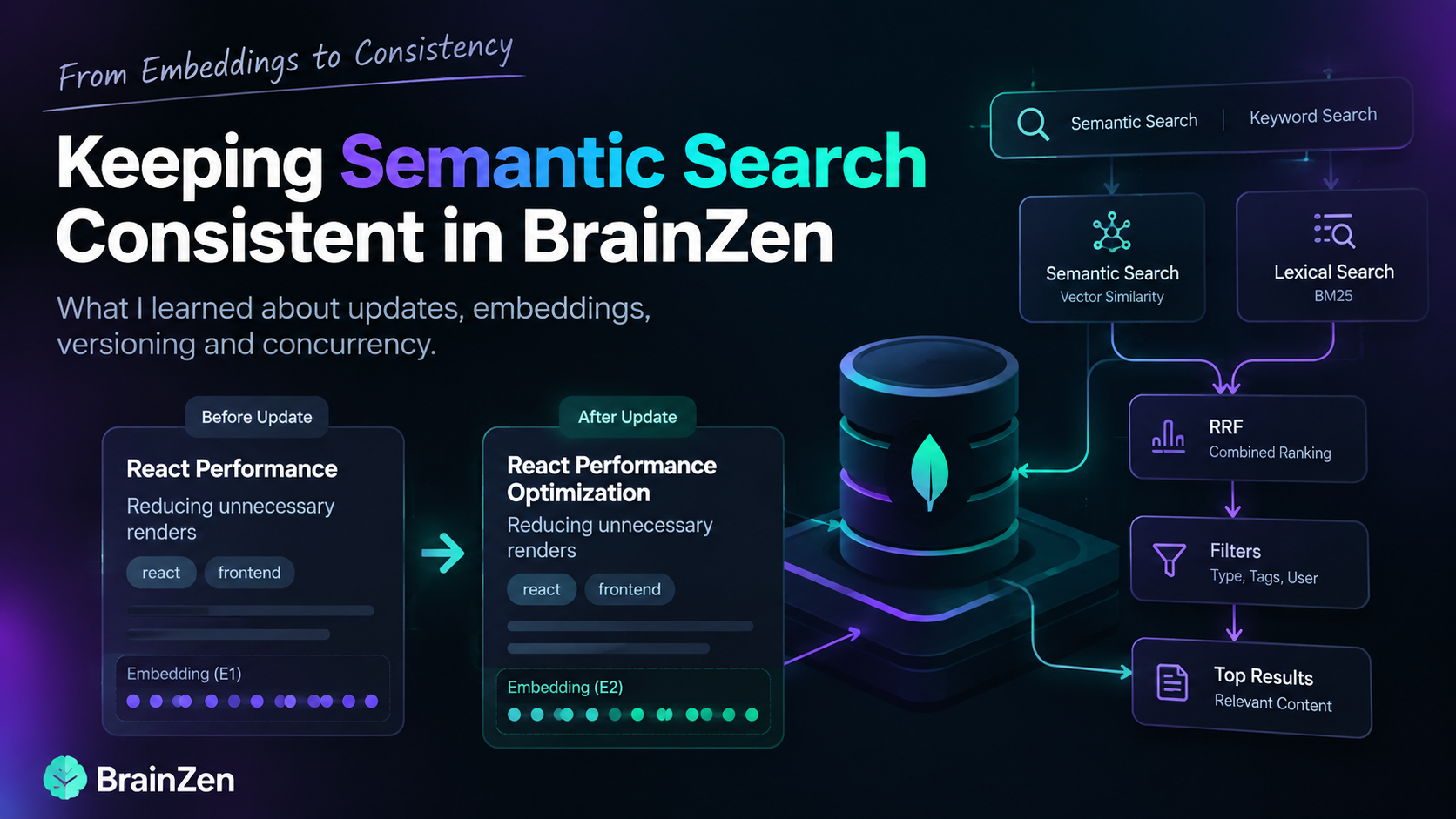
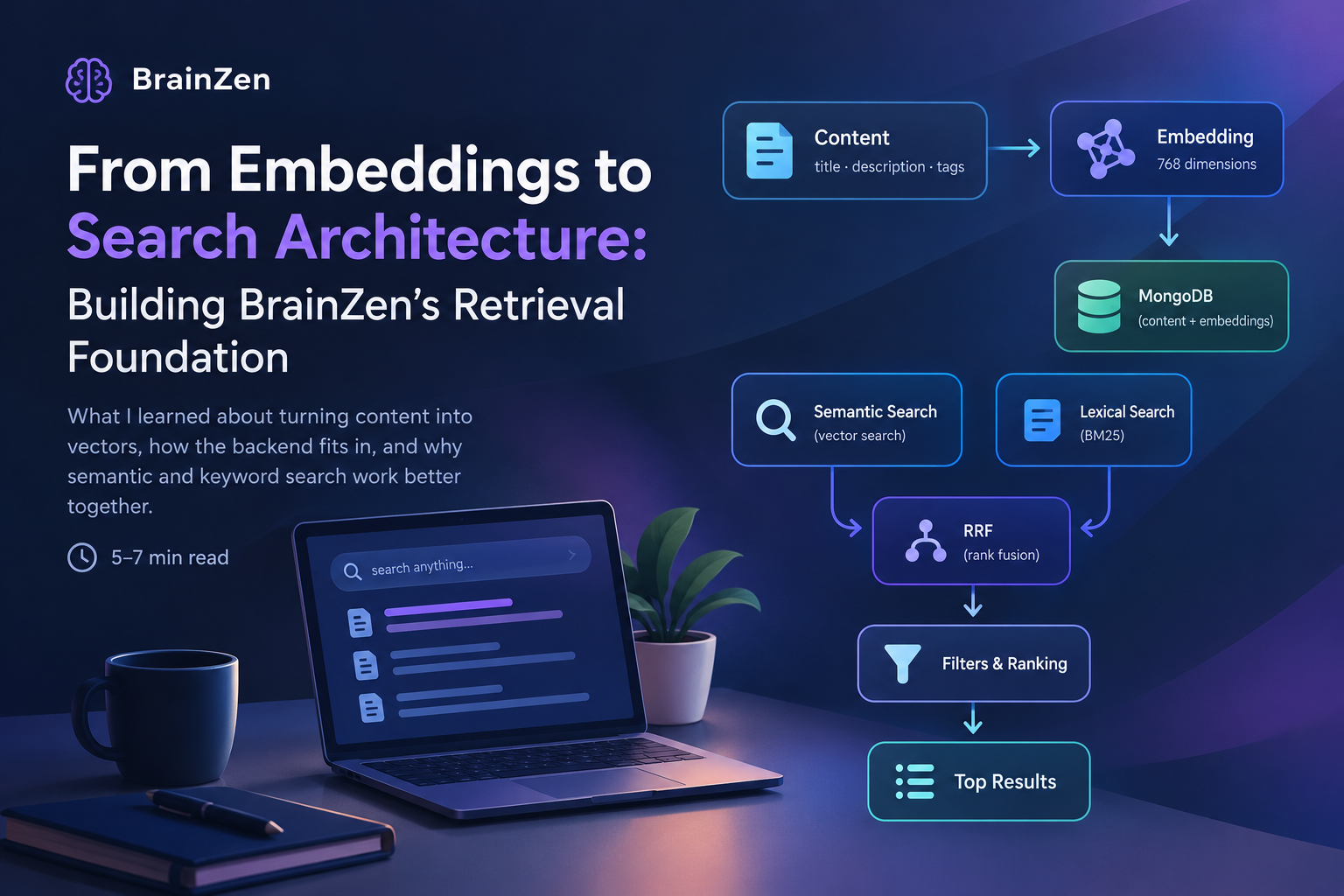
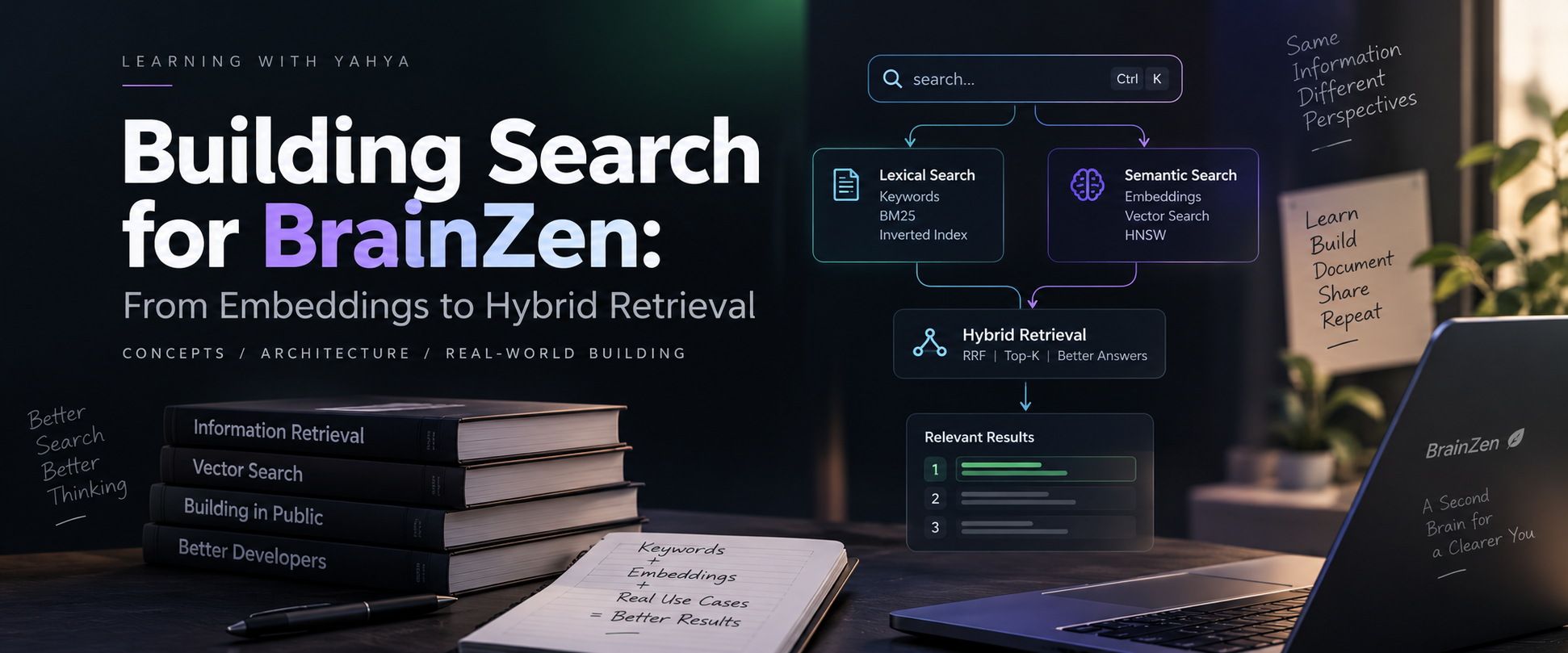
BrainZen's eventual pipeline uses Hybrid Search, funneling both semantic and lexical results through a Reciprocal Rank Fusion (RRF) algorithm to score the best possible matches before applying standard filters.
The Real Takeaway
The fun part of this wasn't actually writing the generateEmbedding() function. It was figuring out where that computation actually belonged.
Choosing a model isn't just about picking the one with the best benchmark scores. You are inherently choosing your deployment strategy, your infrastructure costs, and how the rest of your system has to communicate.
Instead of just npm install-ing a search library and calling it a day, building BrainZen this way forced me to actually understand why the architecture works in the first place.